70 tools.
One private editor.
Choose an area, or scroll through every tool. Tools with a recording or a screenshot open their own page.
Edit & mark up
Change text, add shapes, stamps, pictures and comments to any PDF.
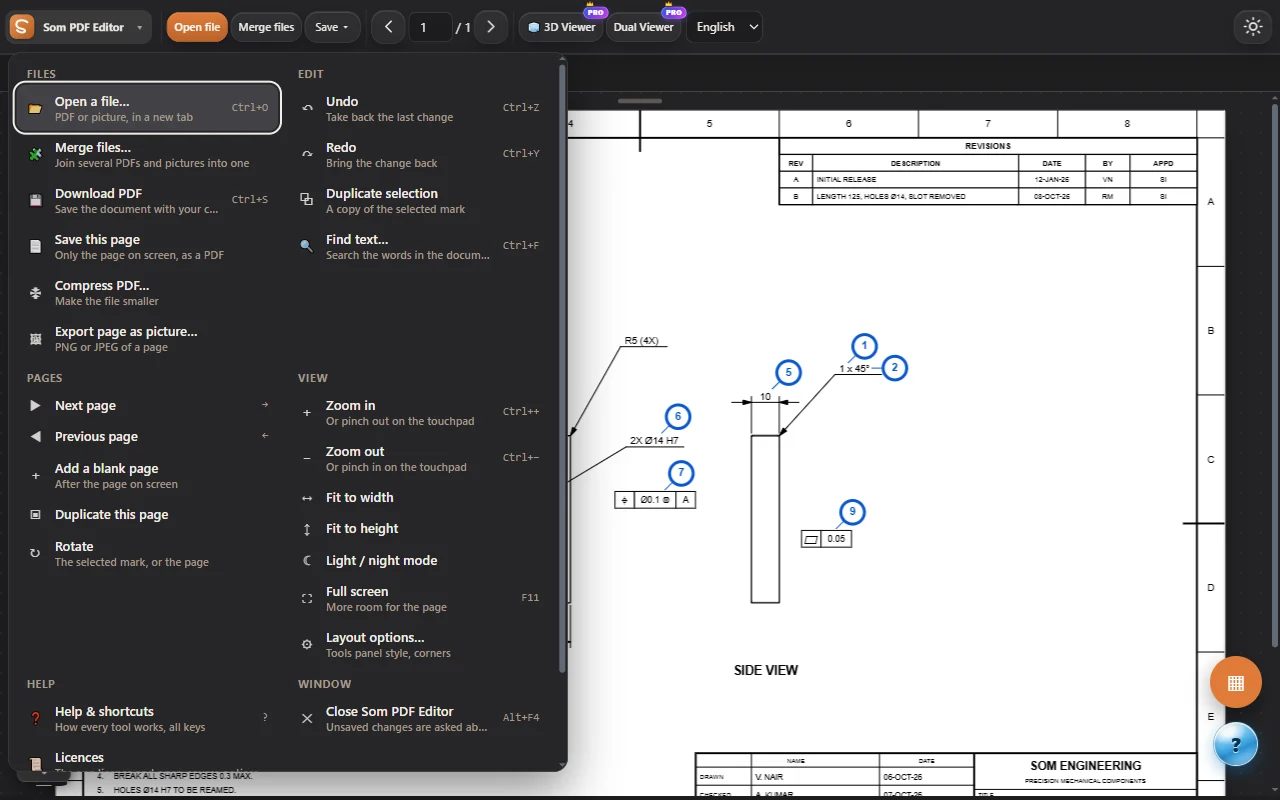
Select, move and resize
Pick any mark, shape or text box and move, resize, rotate or duplicate it.
Add text
Text boxes with fonts, size, colour, bold and alignment, anywhere on the page.
Shapes and lines
Rectangles, circles, arrows, clouds, check marks and dimension lines with fill and thickness.
Draw and highlight
Free-hand pen and highlighter in any colour and thickness, and an eraser.
Cut / remove area
Remove a region of a page cleanly, or crop.
Stamps
Approved, draft, checked and your own stamps with date and name.
Place and replace images
Add pictures and logos; resize, rotate and keep their proportions.
Comments
Comment pins with replies and your name, saved inside the PDF so any reader shows them.
Edit existing content
Change the PDF’s own text, even on scanned pages (offline OCR), with its style and links.
Image editor
Enhance, filters and background removal for pictures on the page.
Pages & conversion
Reorder, merge, compress and convert between PDF, Word, Excel and slides.
Pages
Thumbnails to reorder, rotate, duplicate, delete or add blank pages; merge several PDFs and pictures.
Download, compress, export
Save your changes, make files smaller, export pages as pictures, or as Word, Excel and PowerPoint.
Header, footer and Bates
Page numbers, dates and Bates numbering on every page.
Watermark
Text or picture watermarks, several lines, placed by dragging.
Searchable scans
Add an invisible text layer to scans so you can search and copy, with an extra-accurate OCR engine.
PDF → PowerPoint
An editable deck: points, pictures, tables and a chart, with speaker notes.
Table → Excel
The tables of a PDF as an Excel workbook or CSV.
Word, Excel and text → PDF
Open .docx, .xlsx, .csv and .txt files as PDFs, with headings, lists, tables and pictures.
Scan to PDF
Photos of pages found, straightened and cleaned, with optional OCR.
Bookmarks and contents
Bookmarks from the headings, and a clickable contents page.
Booklet / N-up
Several pages per sheet, or a booklet to fold.
Batch actions
Watermarks, page numbers, rotation and flattening on many PDFs at once.
Forms, signing & business
Fill and sign forms, send documents, make invoices, quotations and letters.
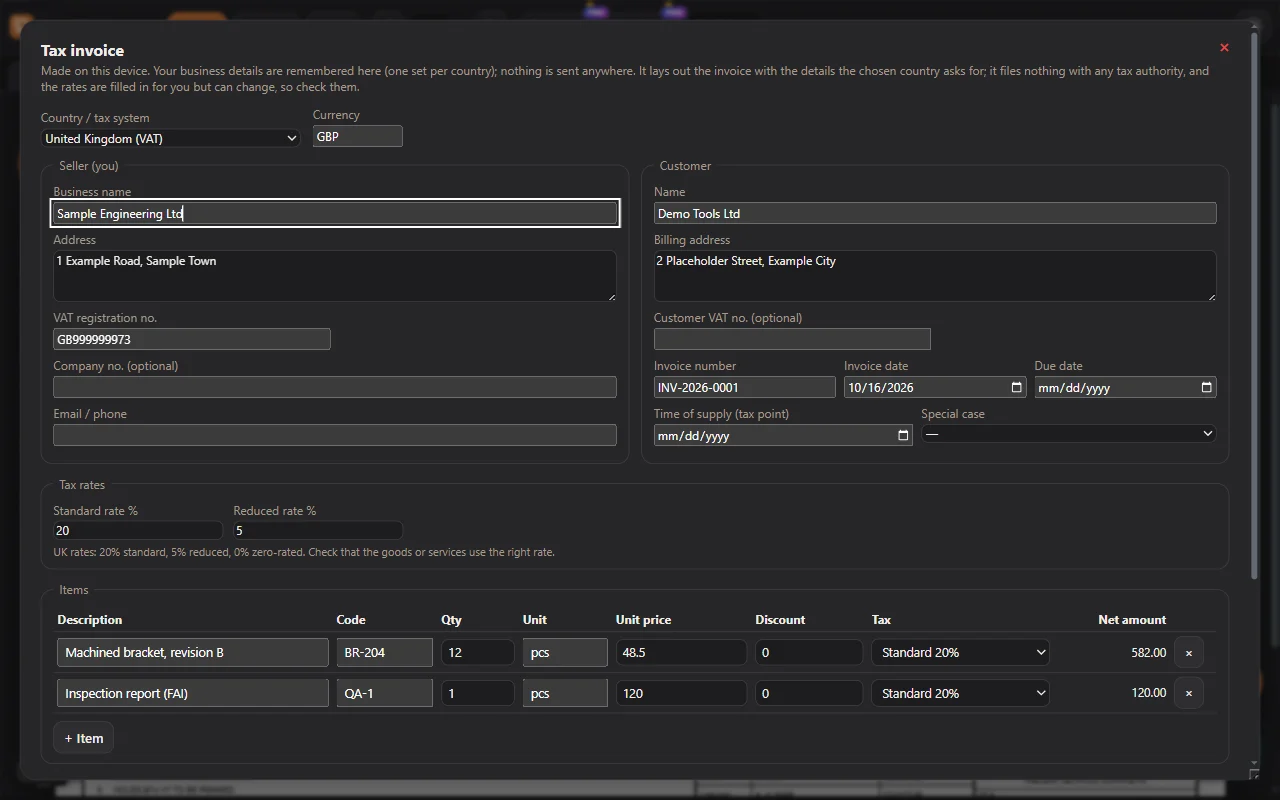
Form and signature fields
Fillable fields, date pickers and signature fields that work in any PDF reader; Auto-place finds the blanks of everyday forms.
Digital signatures
Sign with your certificate (PAdES), with an audit report.
Sign & send
Fill, sign on the page or digitally, add a signing record, and send.
Mail merge
A filled copy of a form for every row of a spreadsheet.
Letterhead & templates
Your letterhead on any PDF; letters, offers, NDA, purchase orders.
Quotation & certificate
Quotations and certificates of conformance, as PDFs.
Bank statement
The transactions of a statement, the balance checked, a dashboard and Excel.
Protect & prepare
Redact private data, check a file’s safety, and get it ready to print or archive.
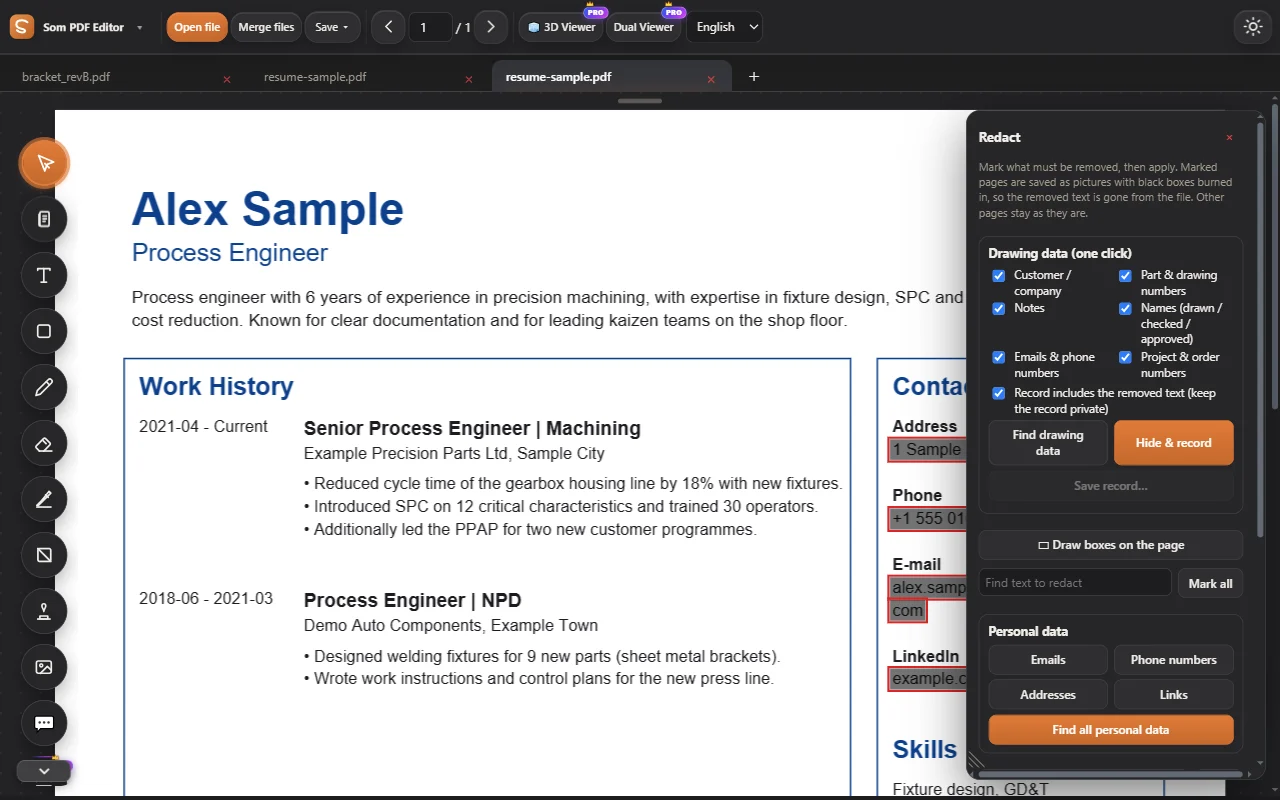
Redact
Find emails, phone numbers and addresses in one click; black boxes burned in for good.
See how it works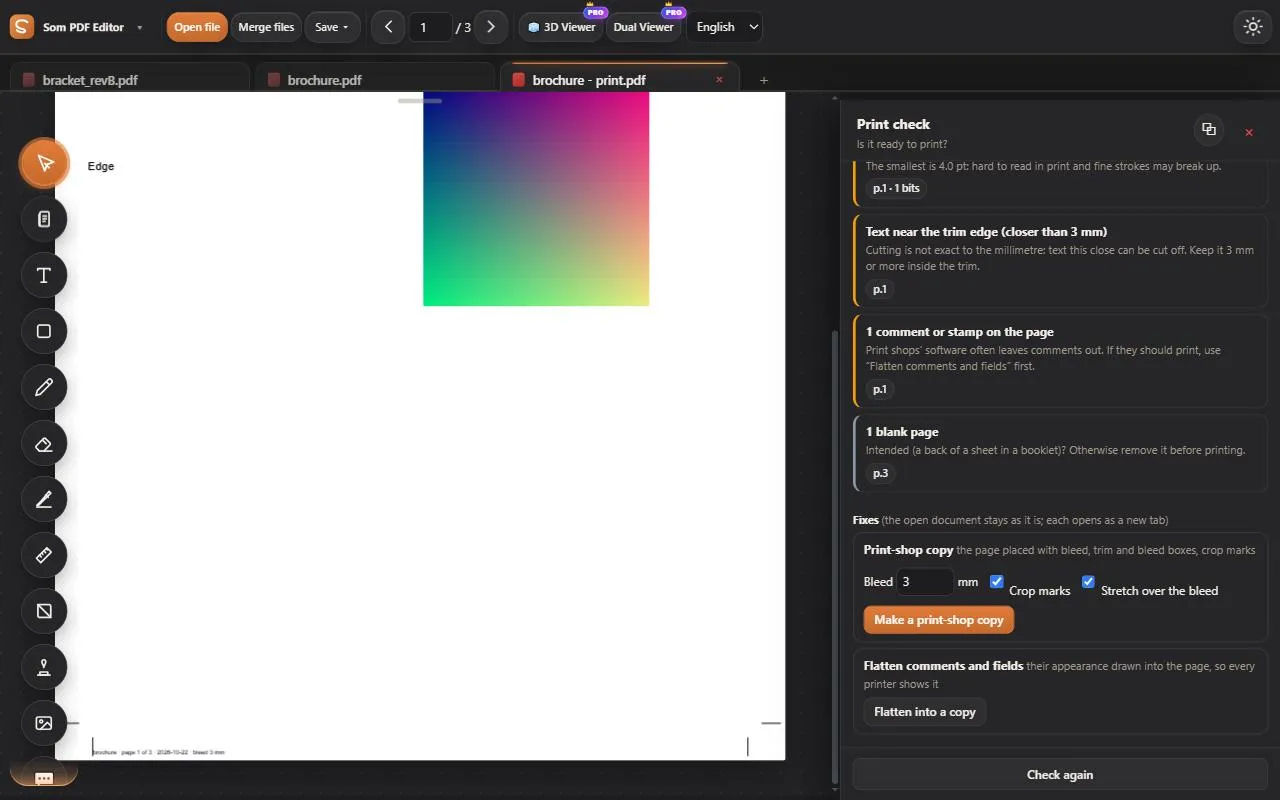
Print check
Ready to print? Fonts, picture sharpness, colours, bleed, thin lines and tiny text, for an office printer or a print shop; a print-shop copy with crop marks.
See how it works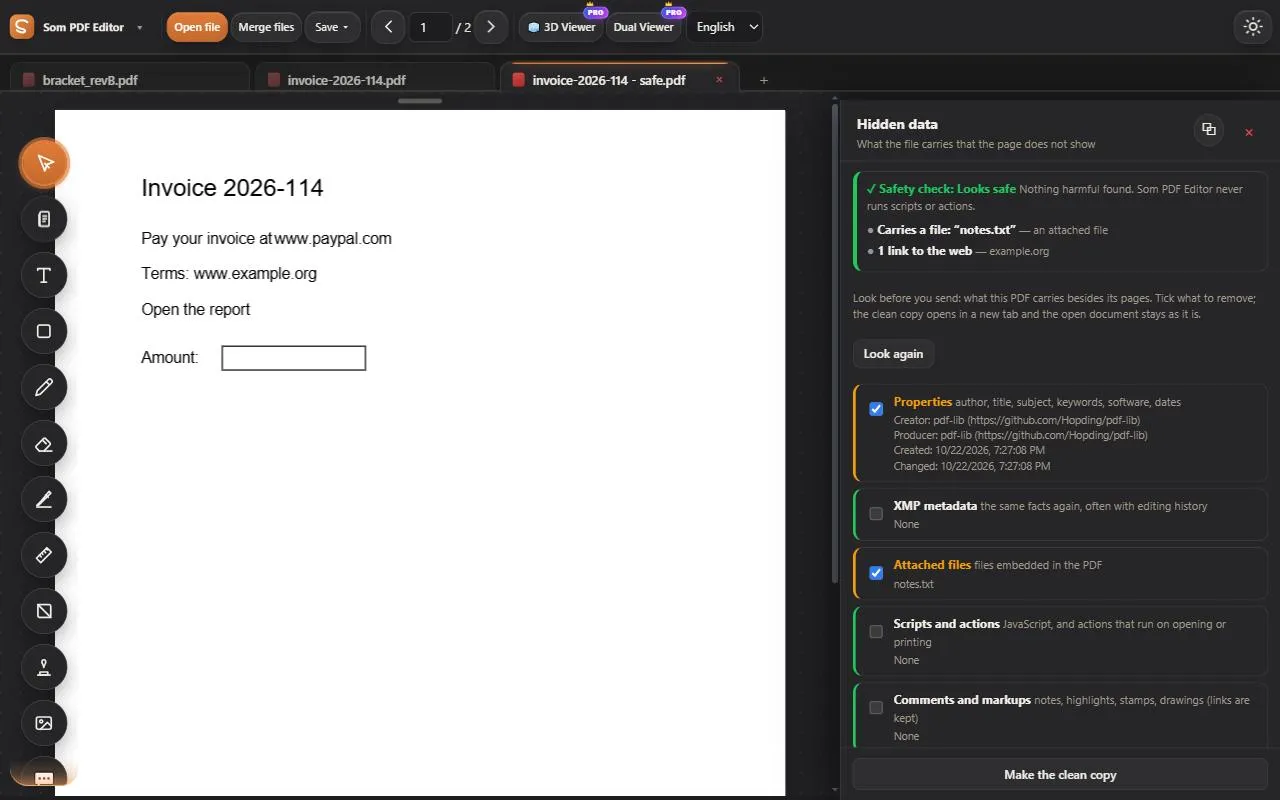
Safety check and hidden data
What a PDF would do when opened, in plain words: scripts, programs, links that lie, risky attachments. A safe copy; author and history removed.
See how it worksAccessibility check
Tags, alternative text, contrast and reading order.
PDF/A
A PDF/A-2b copy for long-term archiving.
Read & check
Summaries, translation, read aloud, and checks for numbers, terms and links.
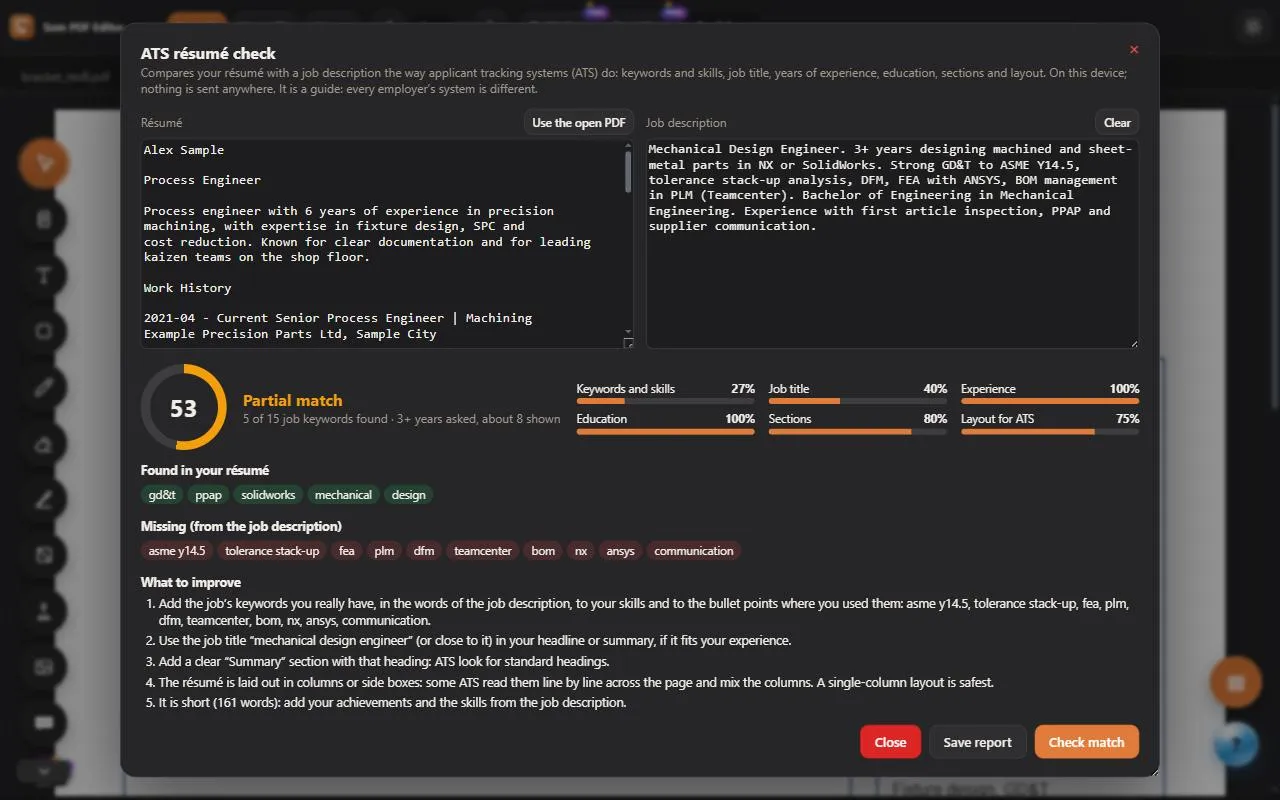
ATS résumé check
Score a résumé against a job description: missing keywords and what to improve.
See how it works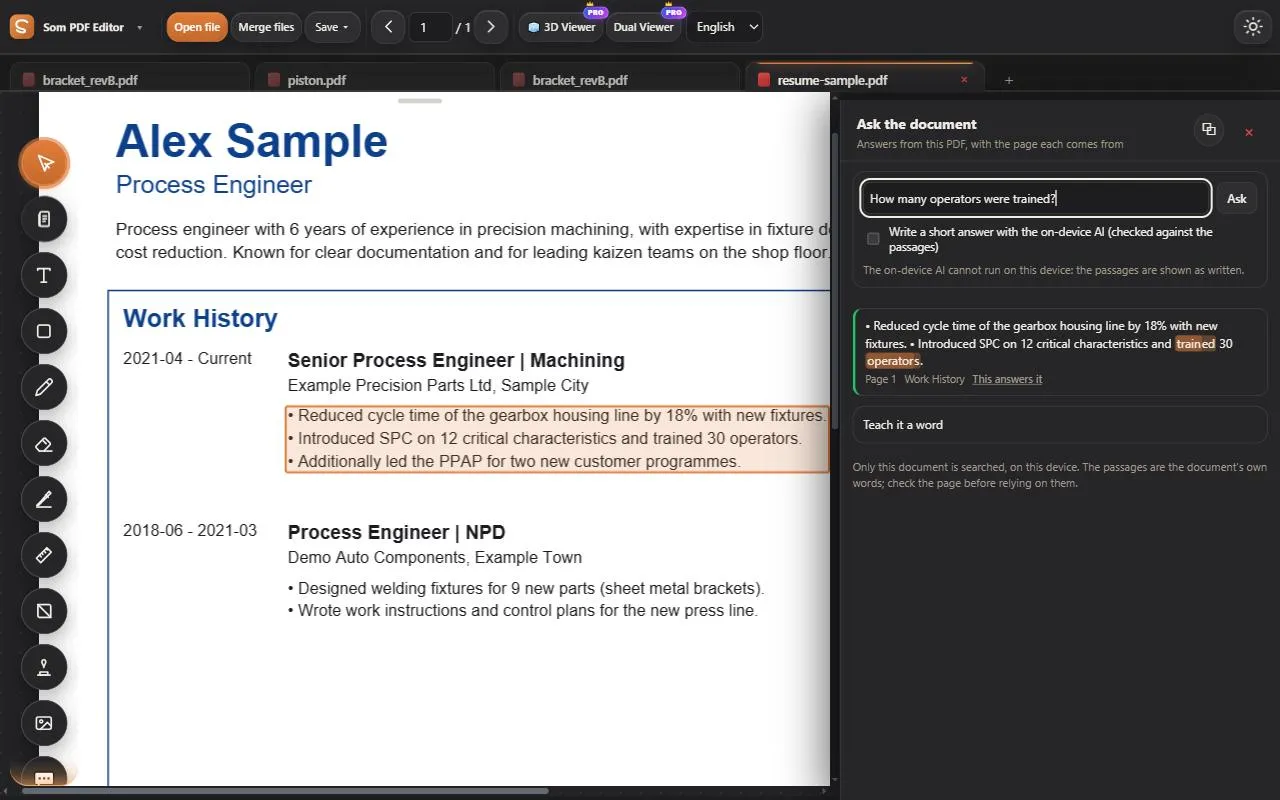
Ask the document
Questions answered from the document, with the page each answer comes from.
See how it worksSummary
A structured summary of reports, letters, invoices and résumés.
Read aloud
Hear any page read out in 15 natural voices, following the layout; save it as MP3.
Spell & grammar
Find mistakes and see each fix before it is made.
Translate
A word, a paragraph, a page or the whole document: side by side, as Word or as a translated PDF.
Glossary
Every acronym and term in the document, with its meaning.
Readability
Grade level, long sentences and passive voice.
Link check
Broken links and page jumps that land in the wrong place.
Number & date check
Totals, percentages and dates that do not add up.
Contract key terms
Parties, dates, renewals, money and risky clauses at a glance.
Text compare
What the words say differently between two versions, as a redline.
Engineering drawings
Read every dimension, number balloons, review revisions and run inspection reports.
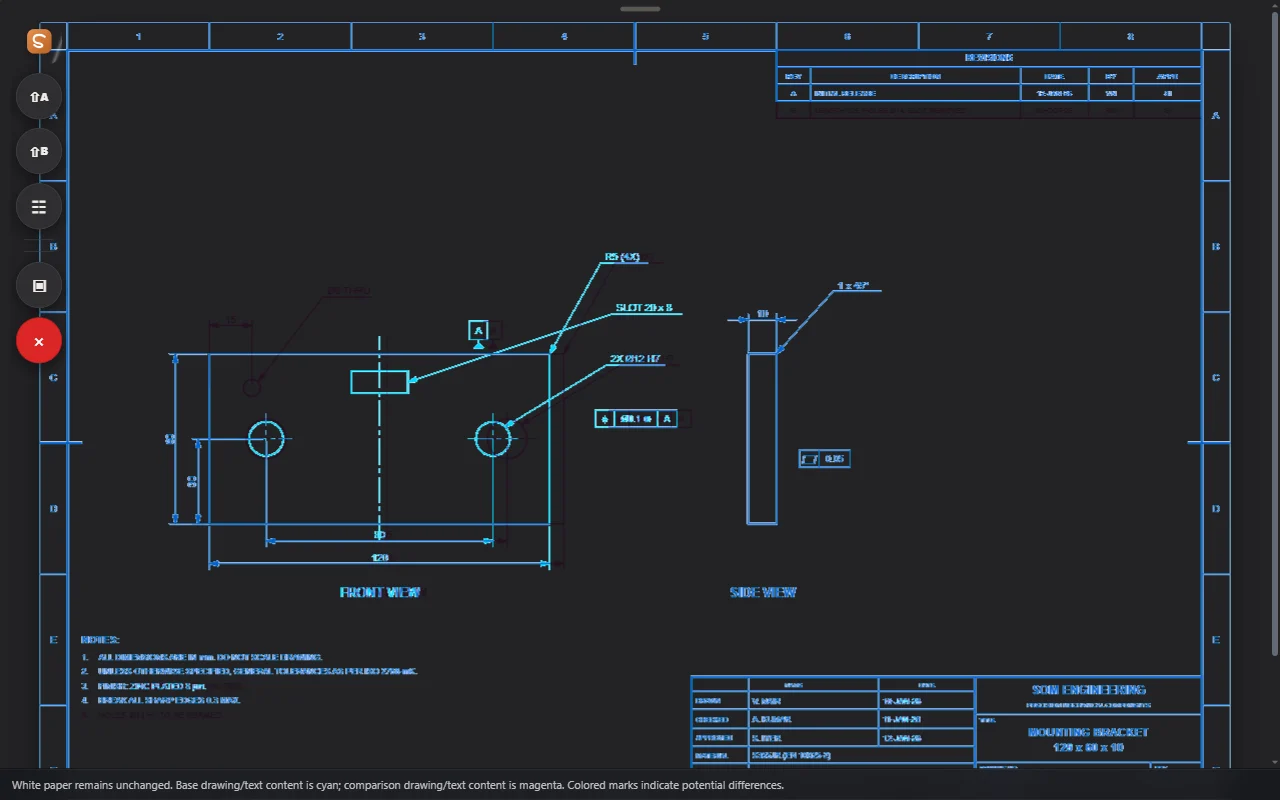
Dual Viewer and Overlay
Two documents side by side, or one over the other to spot every change.
See how it works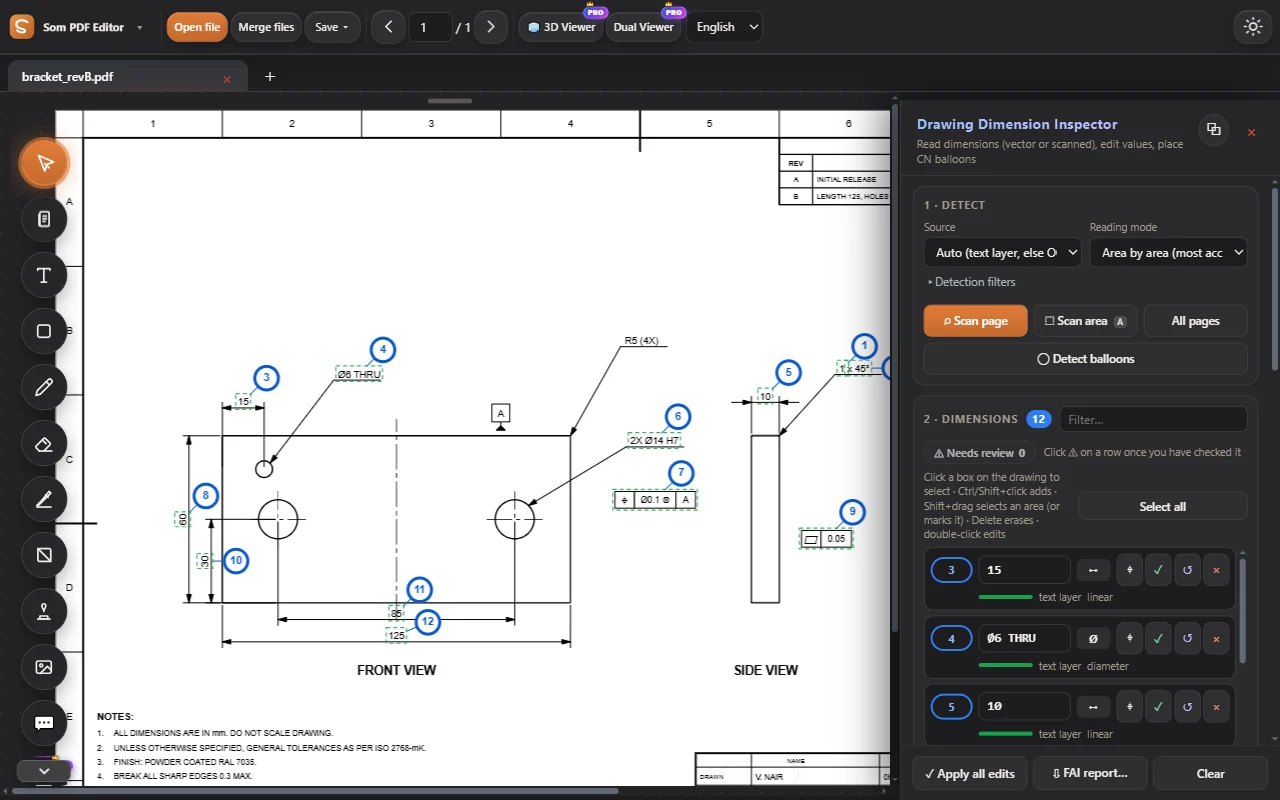
Dimension Inspector
Read every dimension of a drawing, vector or scanned, and edit values in place.
See how it works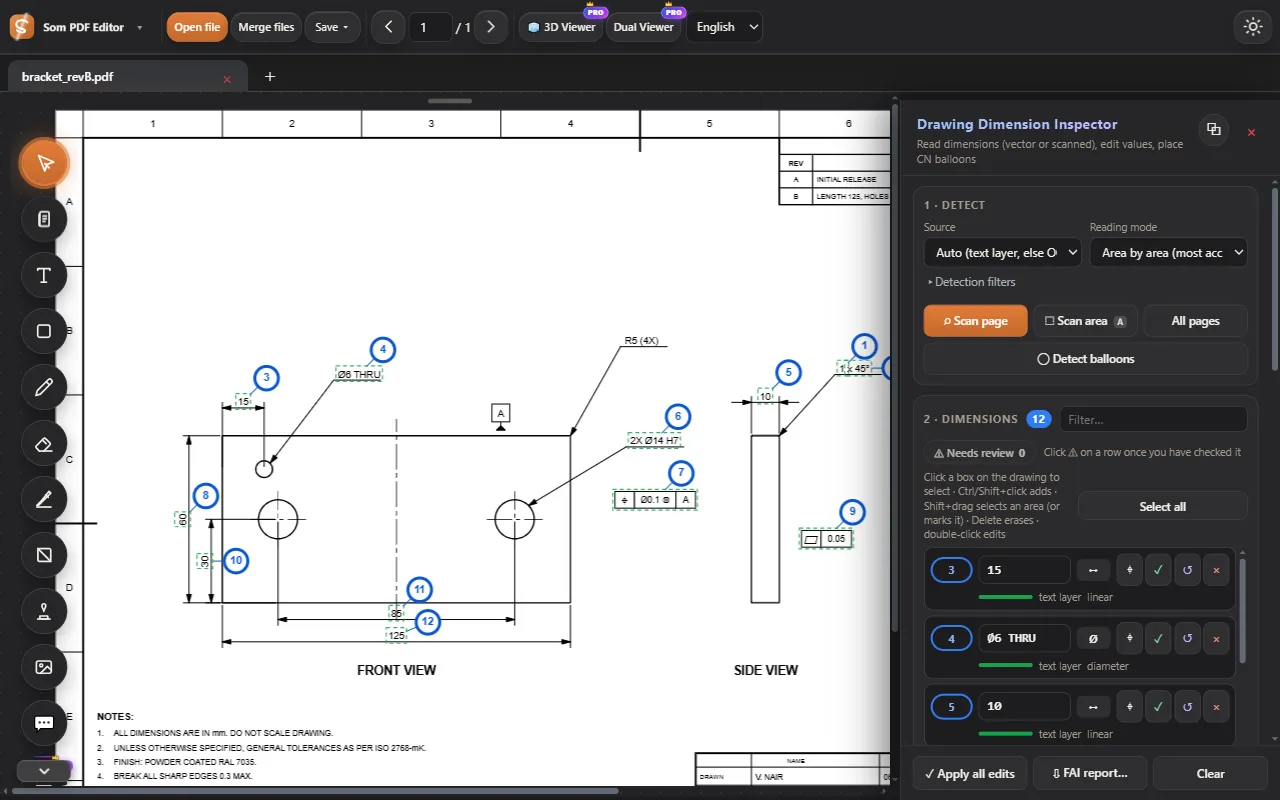
Auto-number CN balloons
Place numbered balloons on all dimensions in one click, filling gaps first.
See how it works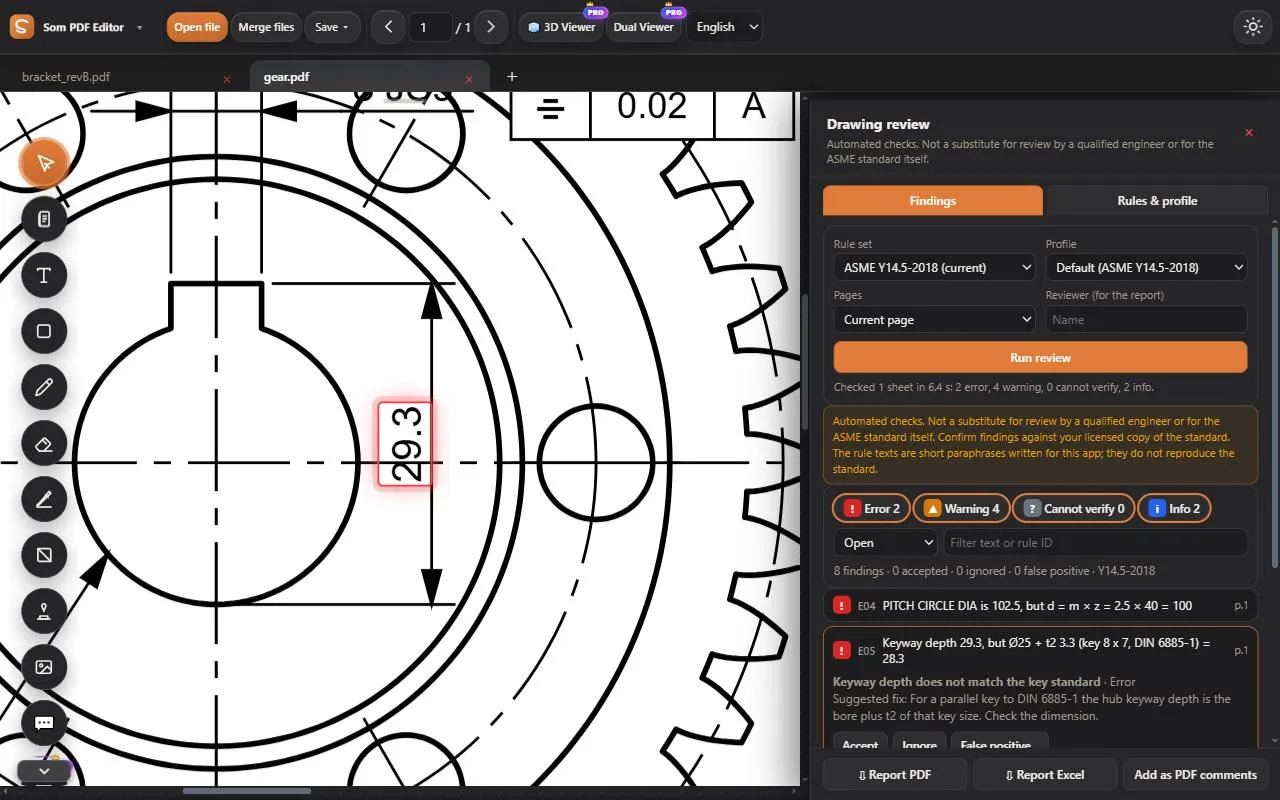
Drawing review
ASME Y14.5 checks plus engineering consistency: revisions, sheets, gear maths, keyways, parts list, notes against views.
See how it works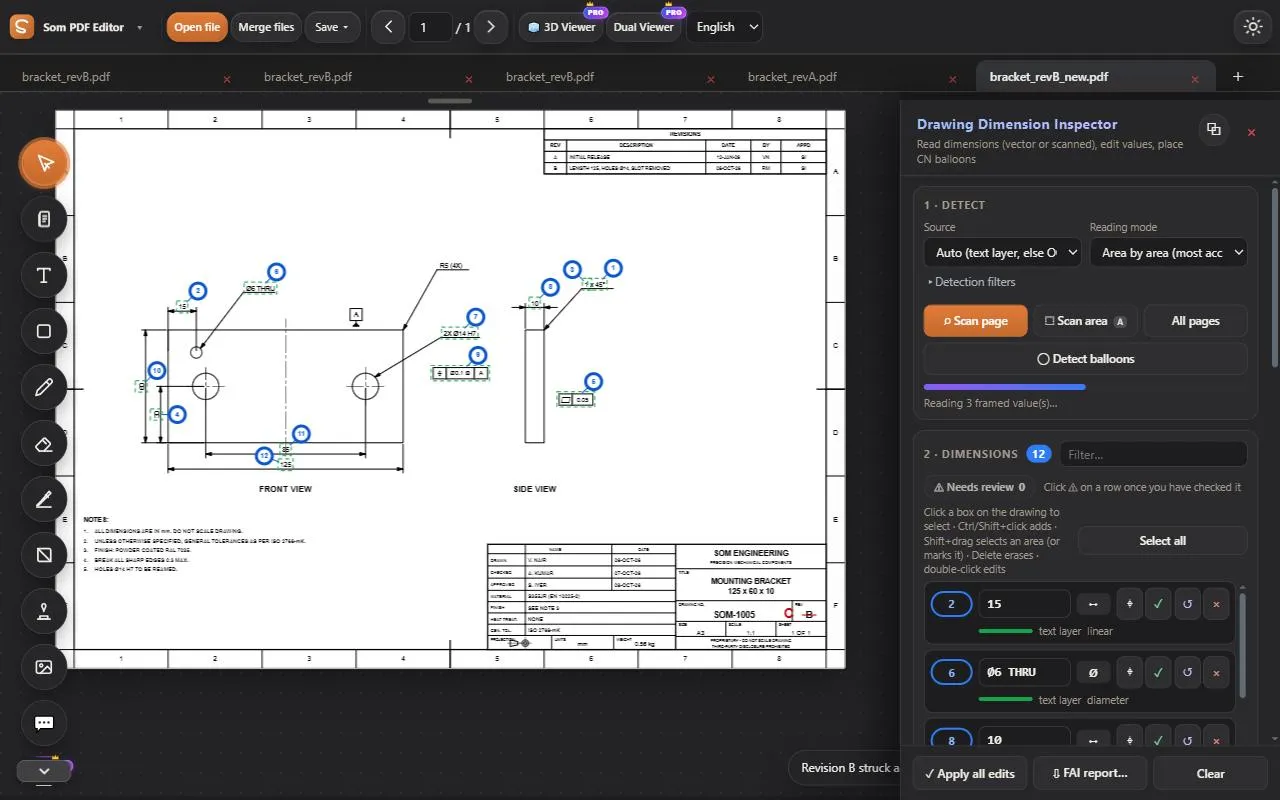
Change report
What changed between revisions in words, with the CN balloons carried over.
See how it works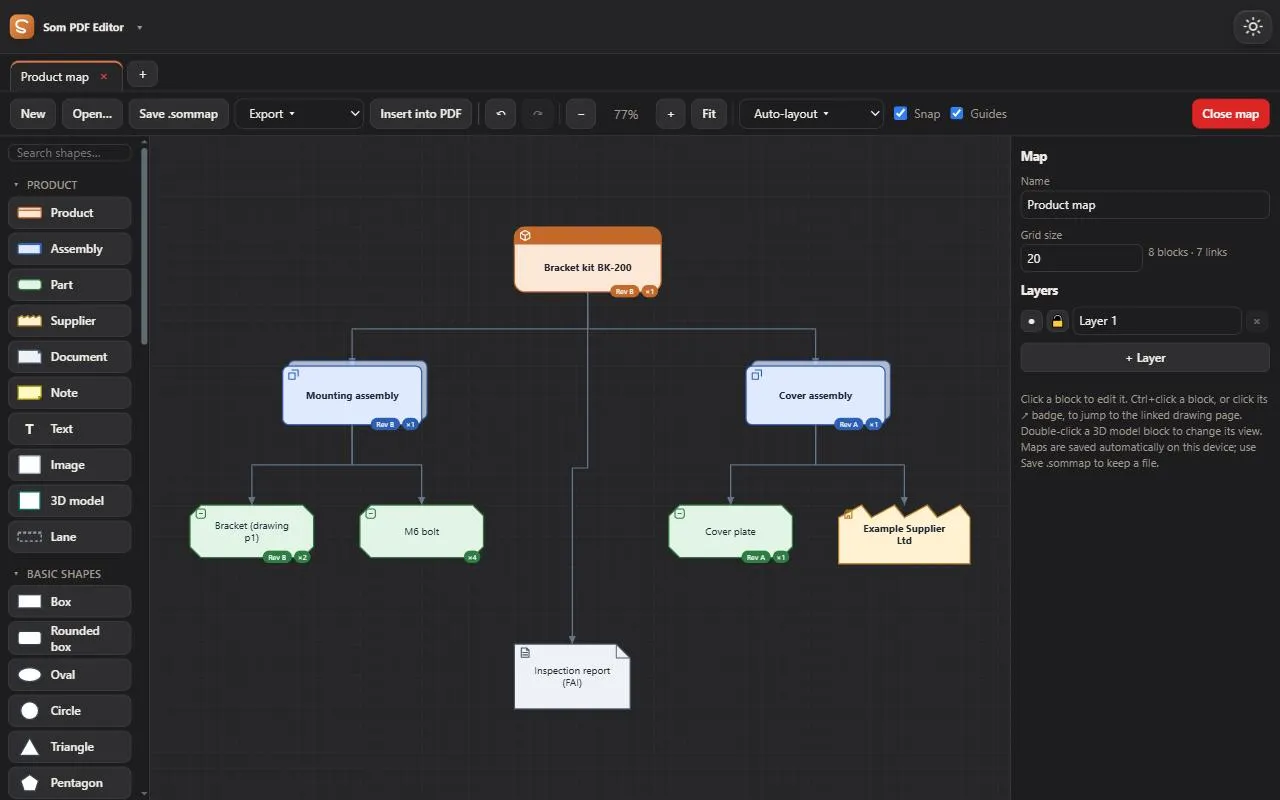
Product map
Parts, assemblies and 3D models linked to their drawing pages.
See how it works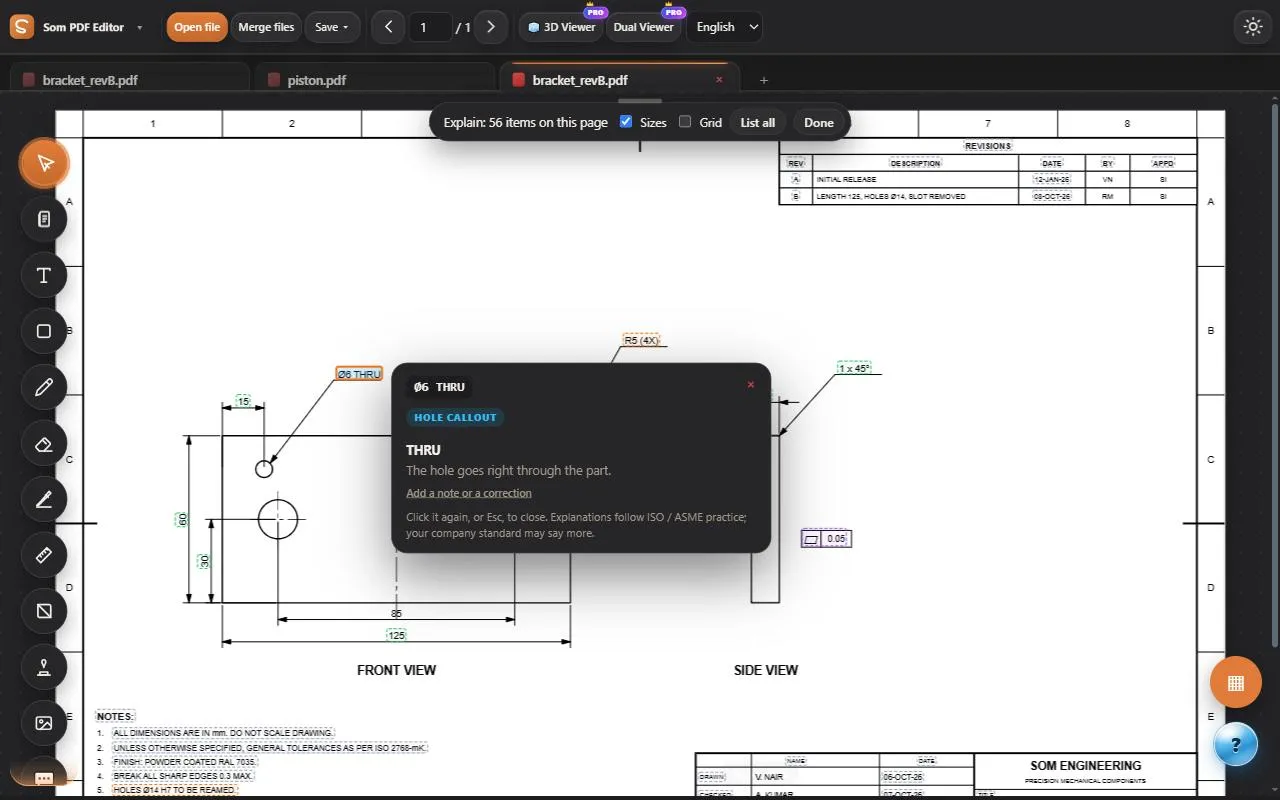
Explain symbols
GD&T frames, fits, threads, finishes and notes explained in plain words.
See how it worksDetect balloons
Find existing numbered balloons in any colour and read their numbers.
FAI report
First-article inspection reports exported to Excel.
Parts list check
Balloons on every sheet against the parts list.
Inspection results
CMM results matched by CN, pass / fail on the drawing, Cp / Cpk.
Drawing register
Title blocks of many drawings in one table, mismatches flagged.
ECN form
The change report, comments and markups made into an ECN.
Measure & calculate
Measure to the drawing’s scale, check fits and tolerances, and calculate.
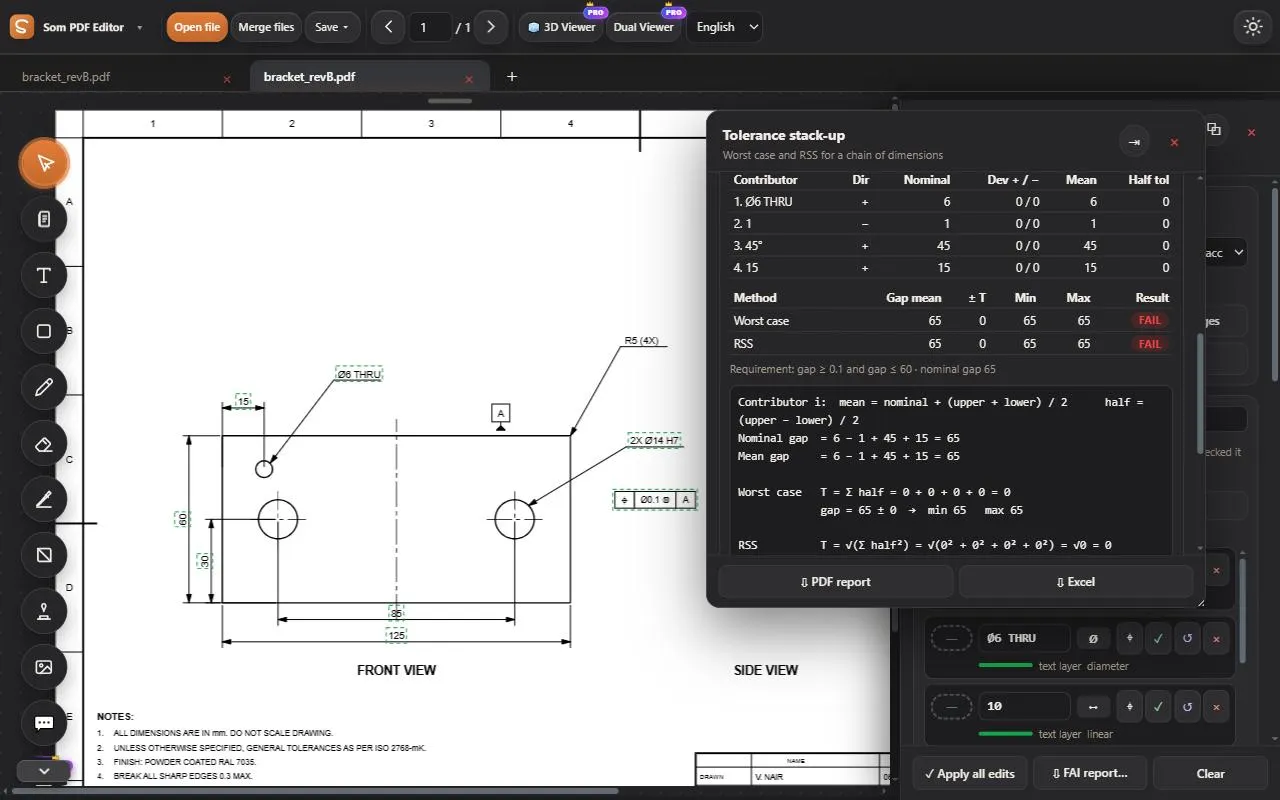
Measure
Distance, path, area, angle and circles to the drawing’s scale; counts; CSV.
Fits & limits
ISO 286 limits for every H7 / g6 callout, written on the PDF.
Engineer’s calculators
Threads and tap drills, bolt torque, weight, bend allowance, hardness, units.
Tolerance heat map
Every dimension coloured by its IT grade, with the usual process.
Mechanical check
Shafts, keys, press fits and bolts checked, with the equations.
3D
Open 3D models beside the drawing, or build a part from words or from a drawing.
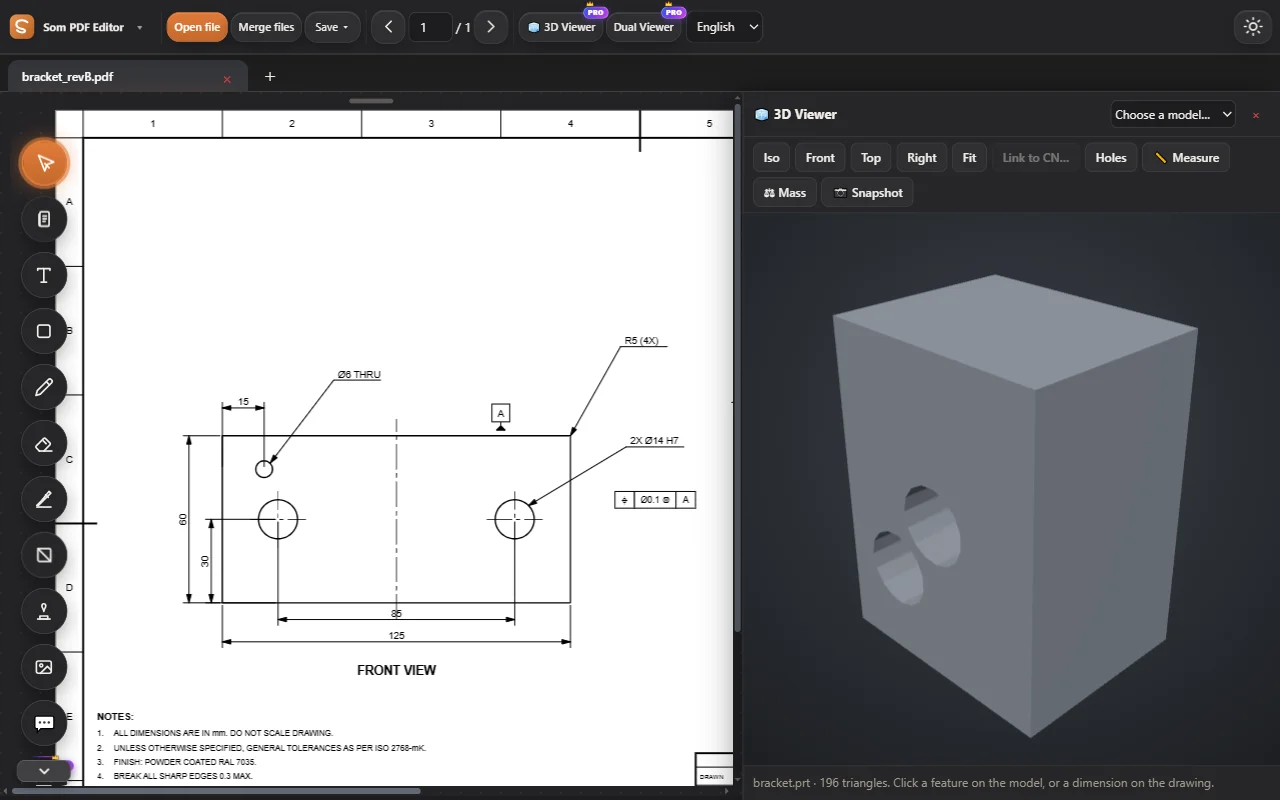
3D Viewer
A model beside the drawing: STEP, STL, IGES, glTF and NX parts without NX.
See how it works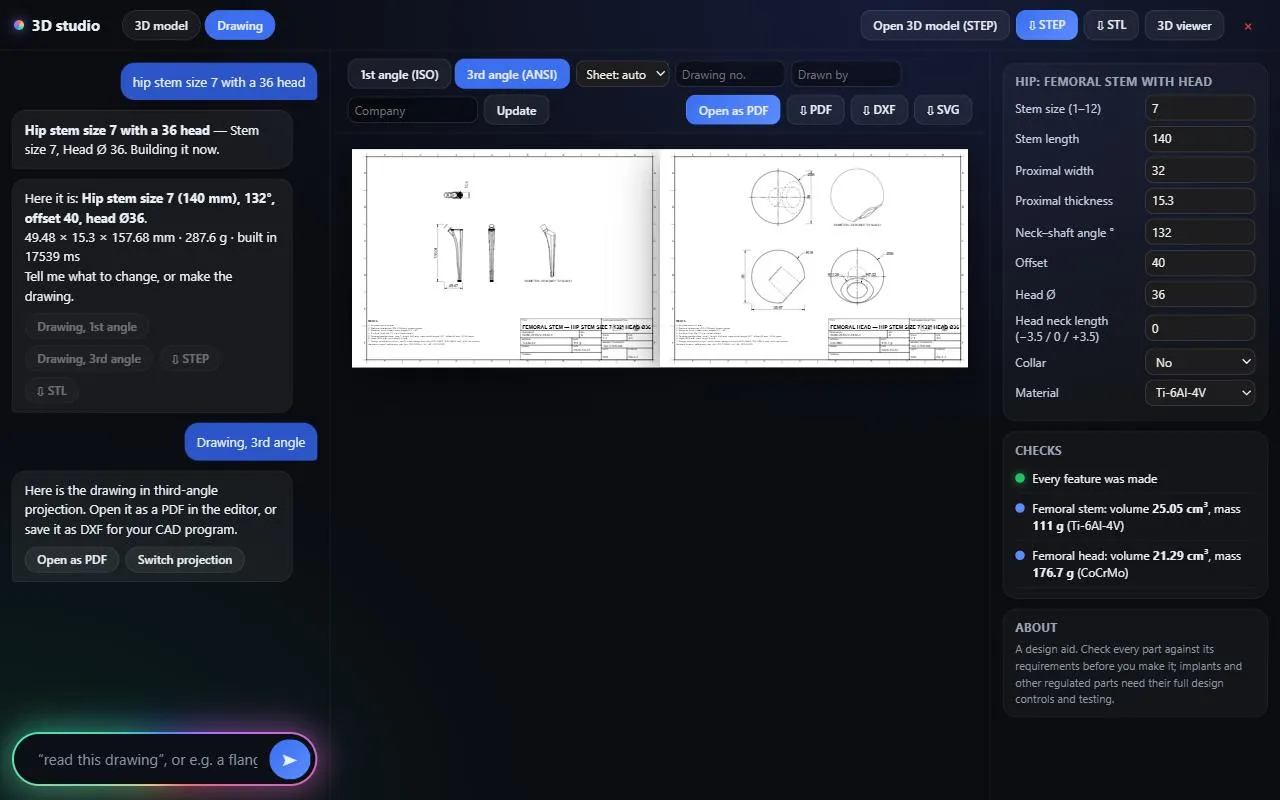
3D studio
A drawing into a 3D solid, or a part described in words: orthopaedic implants, mechanical parts, tools, car and aircraft parts. STEP, STL and a full drawing.
See how it works3D measure and mass
Measure by surface, and weigh in 134 materials.
Try every tool, free for 3 days.
Log in and work on our sample PDFs. Move to Pro when you want your own files.